OpenClaw Desktop App — No Terminal, No Coding Required
OpenClaw Easy is a free desktop app that runs an AI assistant on your messaging apps. It installs OpenClaw — the open-source AI runtime — in one click, so you can bring Claude, ChatGPT, Gemini or a local Ollama model to WhatsApp, Telegram, Slack and Discord. macOS & Windows, no terminal required.
Press ↵ to send · Shift+↵ for new line
Powered by OpenClaw · Free · Runs 100% locally · Open Source

OpenClaw download page: macOS & Windows installers · system requirements · install steps →
What is the OpenClaw Desktop App?
OpenClaw Easy is a free OpenClaw Desktop App for macOS and Windows. It bundles the open-source OpenClaw AI agent runtime (MIT licensed) into a one-click installer, so you can run an AI assistant on your own computer without a terminal, Node.js or config files. From one window you connect it to WhatsApp, Telegram, Slack, Discord, Feishu or LINE, and pick a model: Claude, ChatGPT or Gemini with your own API key, a free local model through Ollama, or pre-paid credits with no API key at all. The macOS DMG (about 400 MB, macOS 12 or later) is signed and notarized by Apple; the Windows EXE (about 270 MB, Windows 10 and 11) is not code-signed yet. OpenClaw Easy itself is open source under Apache-2.0, and the current version is 2026.10.23. System requirements and step-by-step install instructions for both are on the OpenClaw download page.
One desktop app. Six messaging apps. Any AI.
Your messaging apps connect to OpenClaw Easy on your machine, which forwards conversations to the AI provider you choose. Nothing routes through a third-party server.
Why OpenClaw Easy?
Everything you need to run AI on your messaging apps
Zero Setup
No terminal, no config files, no dependencies. Download, install, and go.
Private by Design
Everything runs on your machine. With a local Ollama model, your data never leaves your device.
All Major AI Models
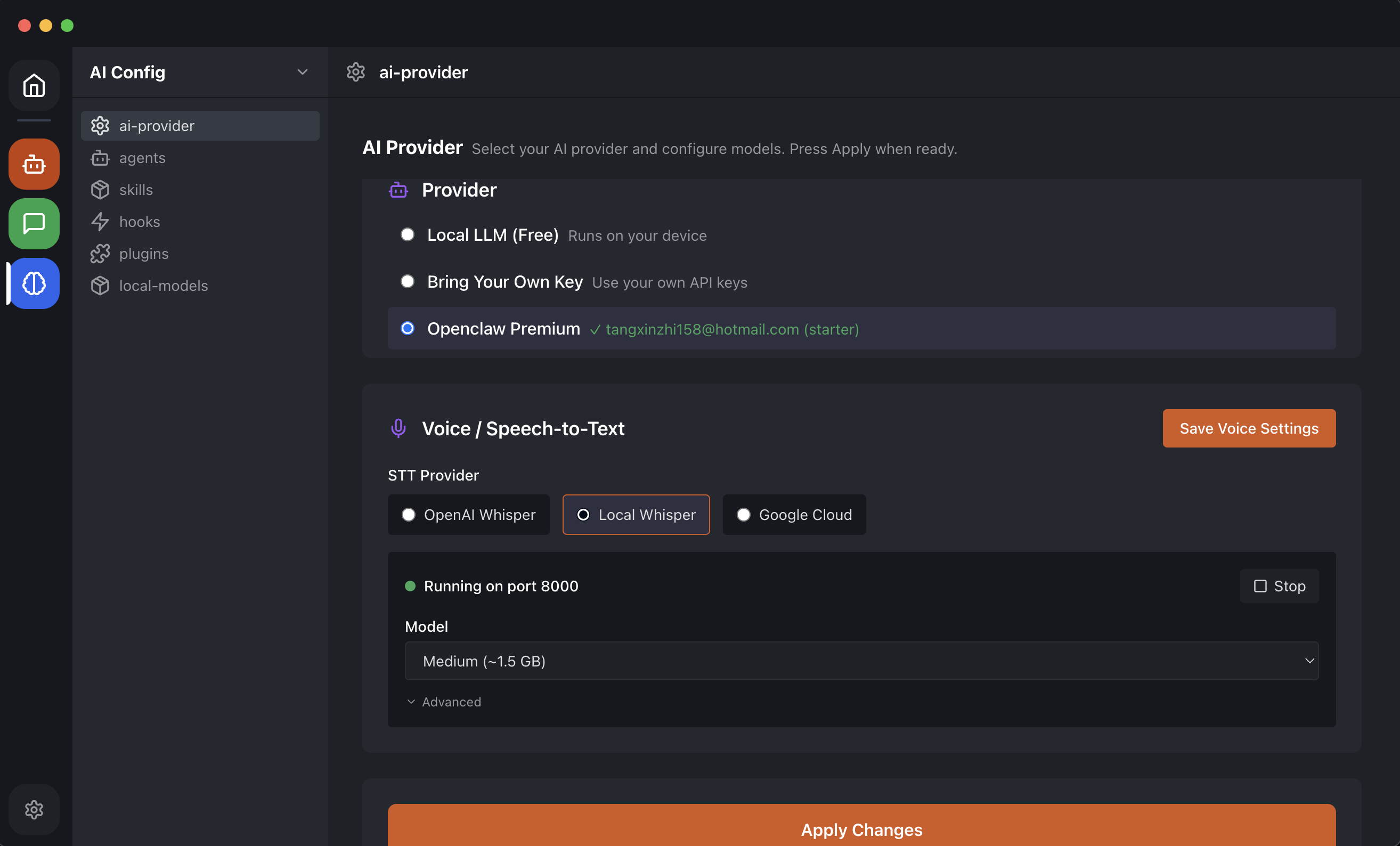
Claude, ChatGPT, Gemini, DeepSeek, Llama — switch with one click.
Free to Use
Bring your own API keys at no cost. Optional Premium for managed AI.
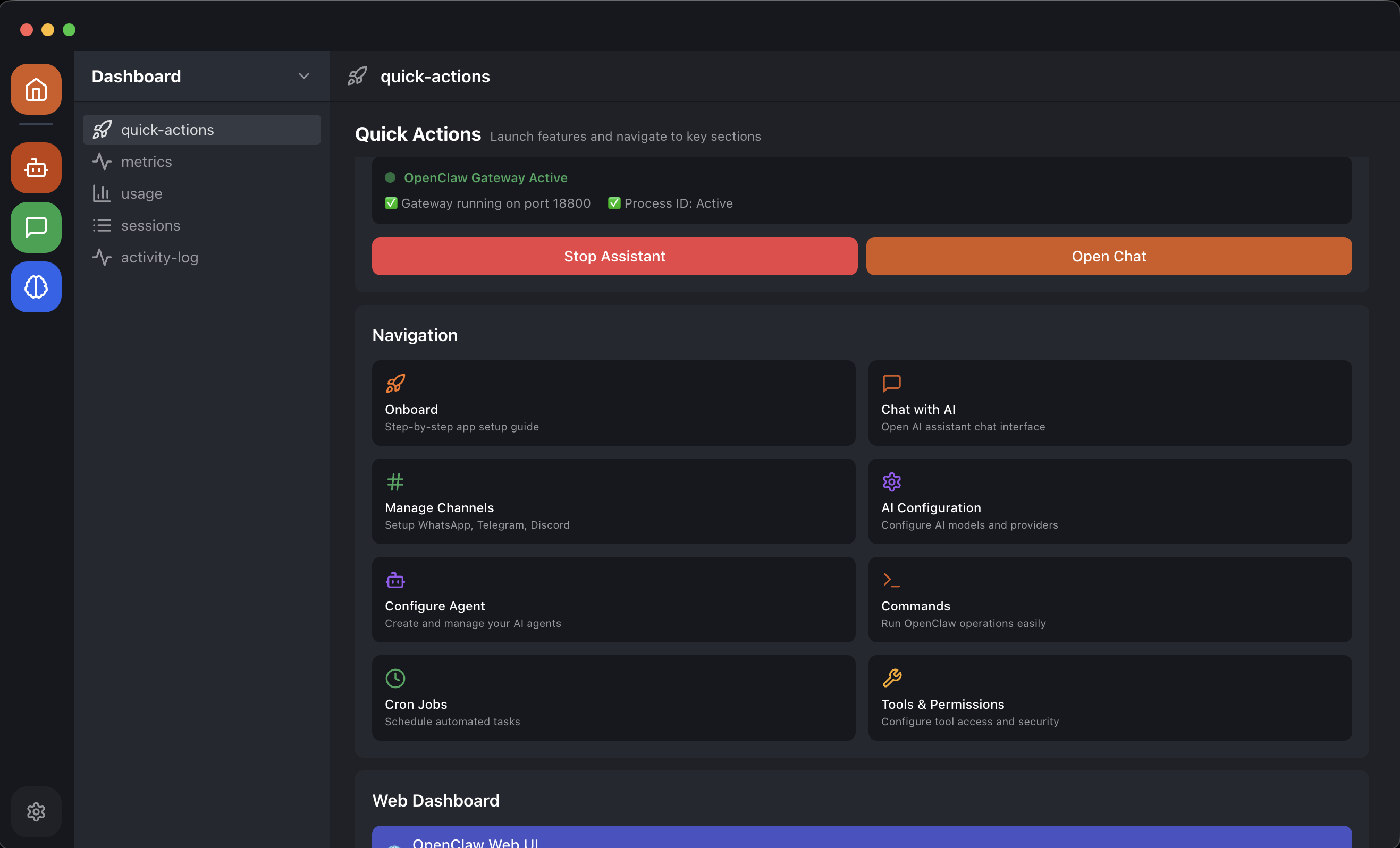
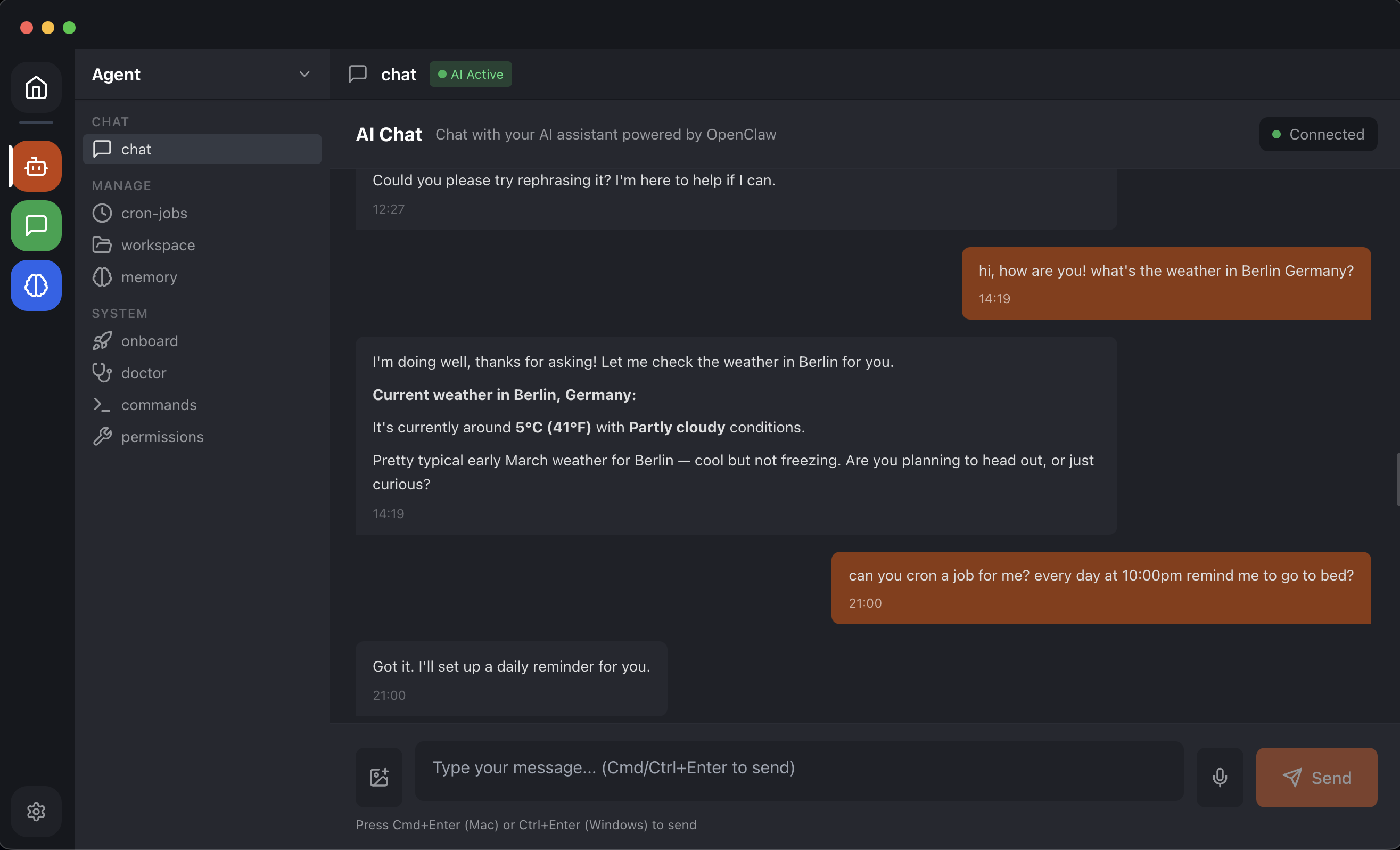
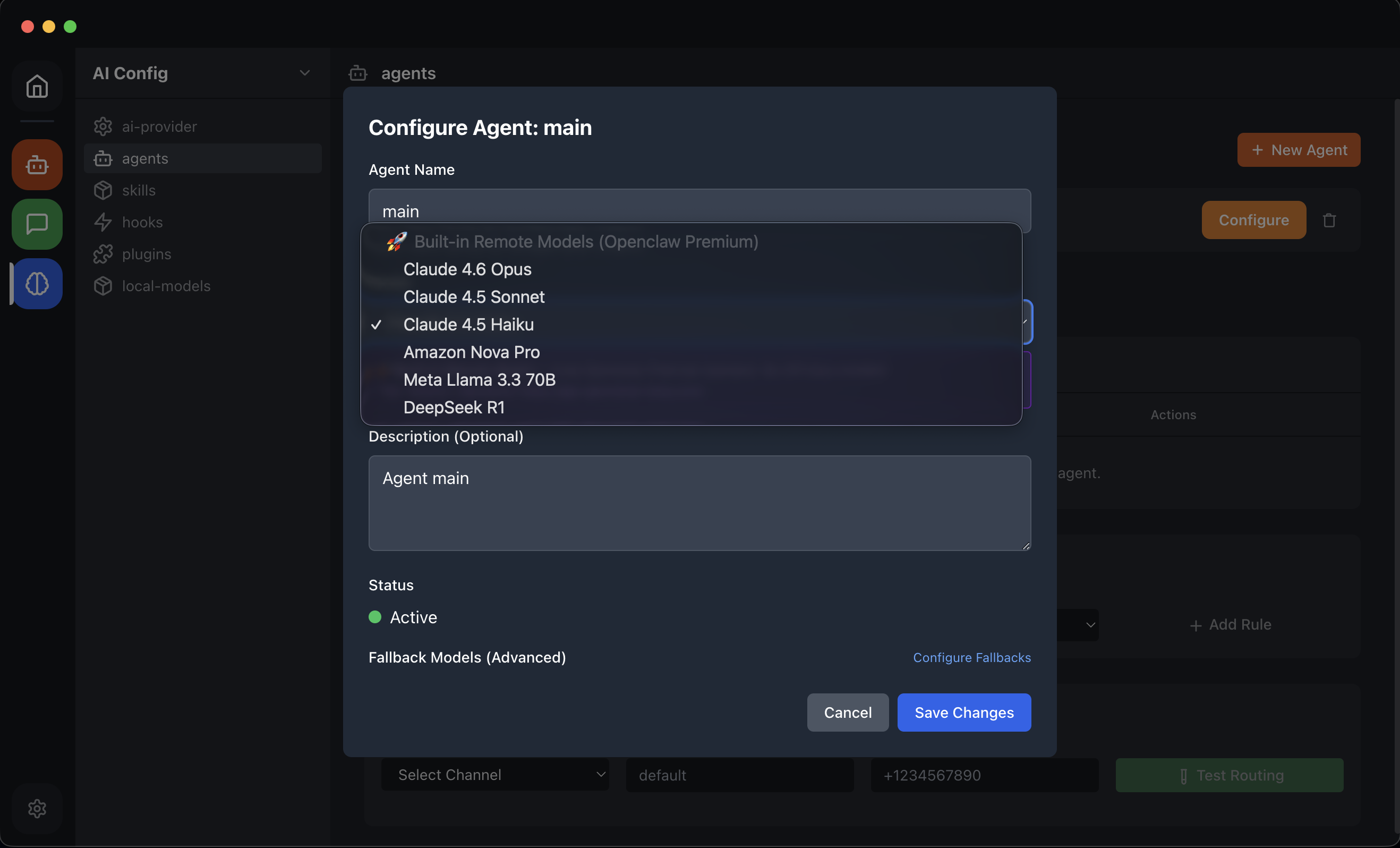
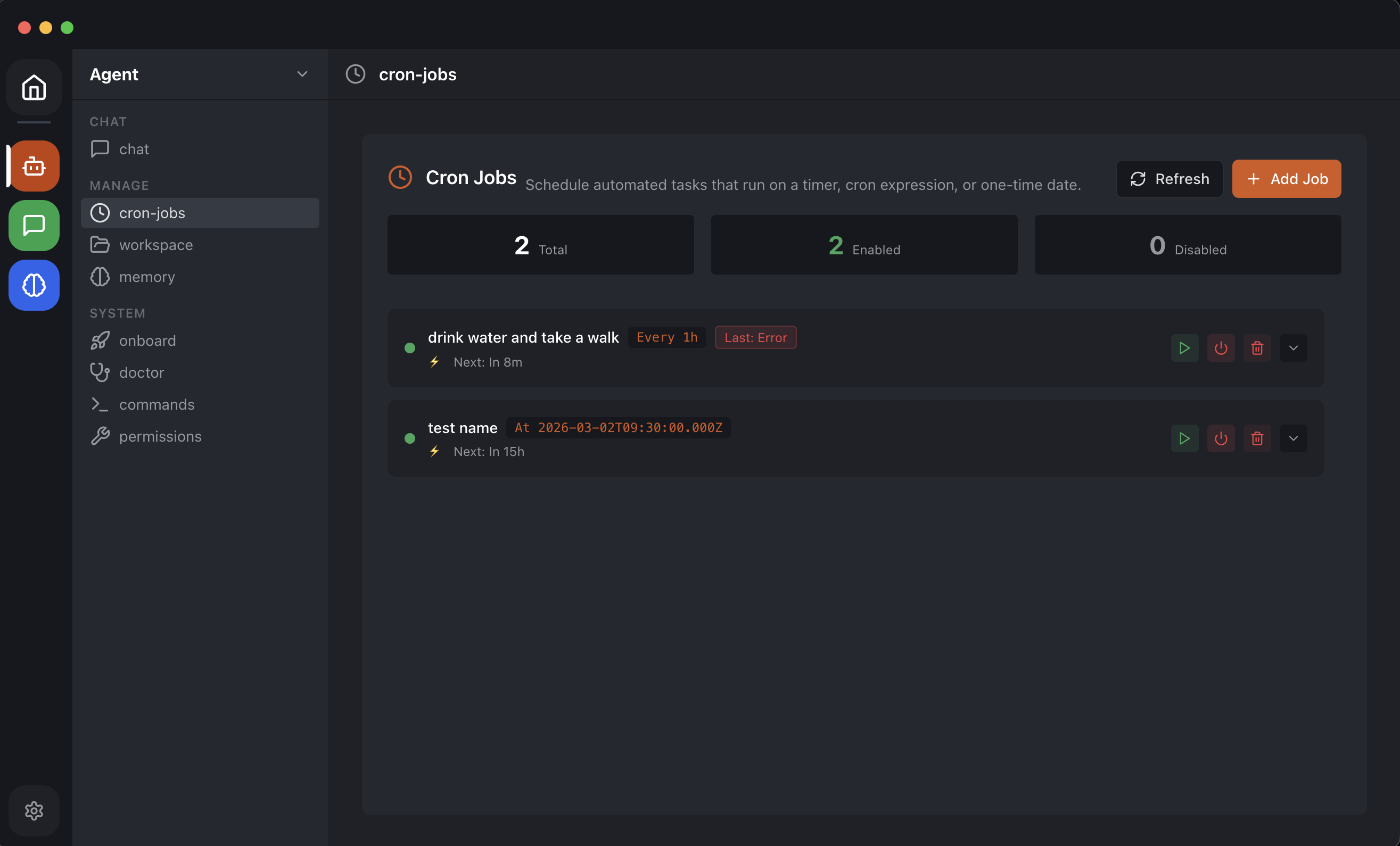
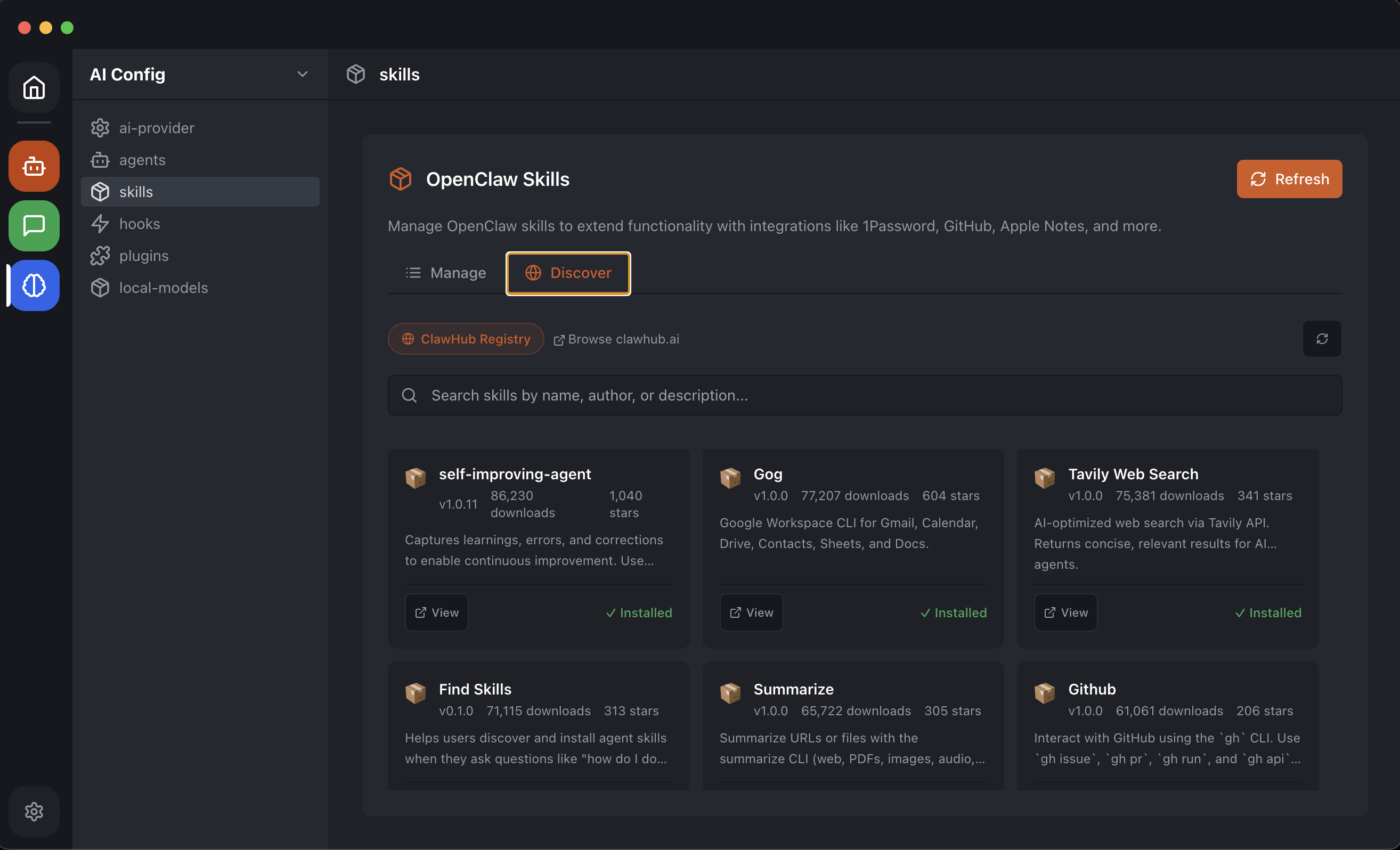
See the Desktop App in Action
A clean, powerful interface — manage AI agents, schedule tasks and switch models in clicks
Why people switch to OpenClaw Easy
How OpenClaw Easy compares to running OpenClaw from the terminal and to cloud-hosted chatbots.
| OpenClaw Easy | Terminal install | Cloud chatbot SaaS | |
|---|---|---|---|
| Setup time | Under 1 minute | 10–30 minutes | 5–10 minutes (signup, billing) |
| Requires terminal / Node.js | No | Yes | No |
| Works on Windows without WSL2 | Yes — native .exe | Limited | Yes |
| Data stays on your machine | Yes | Yes | No — vendor cloud |
| Free with local models (Ollama) | Yes | Yes | No |
| Per-seat or per-message fee | No | No | Usually yes |
| Channels supported | WhatsApp, Telegram, Slack, Discord, Feishu, Line | Same as Easy (you wire the config) | Often only one (e.g. Slack-only) |
| Open source | Yes | Yes | Rarely |
Same OpenClaw runtime under the hood — Easy just removes the install and config steps and adds a graphical interface.
OpenClaw Easy at a glance
Specs and supported surfaces, in one place.
- License
- Apache-2.0 (open source)
- Price
- Free; optional pre-paid credits for managed AI
- Operating systems
- macOS 12+ (Apple Silicon & Intel), Windows 10/11 64-bit
- Install size
- ~400 MB (macOS DMG), ~270 MB (Windows EXE)
- RAM footprint
- ~250 MB idle; ~600 MB while serving an AI model
- Messaging channels
- WhatsApp, Telegram, Slack, Discord, Feishu, LINE
- AI providers
- Claude (Anthropic), ChatGPT (OpenAI), Gemini (Google), DeepSeek, local LLMs via Ollama
- API key required
- No — bring your own, top up pre-paid credits for managed AI, or run a local model offline
- Data location
- On your computer — settings, keys and chat history stay local; messages reach your AI provider unless you run a local model
OpenClaw Easy vs other AI chat tools (2026)
Quick side-by-side. Click a column header for the full comparison.
See the full deep-dives for each: vs ChatGPT · vs ManyChat · vs Tidio · vs ClawX · vs Claude Desktop. Looking for other OpenClaw desktop apps? See all 8 OpenClaw desktop apps compared (official macOS app, Windows Hub, ClawX, EasyClaw and more).
Frequently asked questions
Quick answers about installing, running, and pricing OpenClaw Easy.
What is the OpenClaw Desktop App?
The OpenClaw Desktop App is a free, open-source installer for OpenClaw — the underlying AI assistant runtime — that runs natively on macOS and Windows. It packages OpenClaw, its WhatsApp, Telegram, Slack, Discord, Feishu, and Line channel adapters, the local gateway, and a graphical control UI into a single one-click installer. You do not need a terminal, Node.js, WSL2, or any config files to use it. Sign in once, scan a WhatsApp QR code or paste a Telegram bot token, and the desktop app routes messages to Claude, ChatGPT, Gemini, DeepSeek, or local Llama via Ollama. Your data stays on your machine: the app runs the gateway locally, your API keys are stored on disk, and chat history never leaves the device unless you opt into pre-paid managed credits. The OpenClaw Desktop App is the user-friendly alternative to the CLI version of OpenClaw.
How do I install OpenClaw without a terminal or command line?
Download OpenClaw Easy — a free desktop app for OpenClaw. It is a one-click installer for macOS and Windows. No terminal, no Node.js install, no WSL2, no config files. Just download, open, and you are running OpenClaw.
Does OpenClaw Easy work on Windows without WSL2?
Yes. OpenClaw Easy installs on Windows natively — no WSL2, no Linux subsystem, no command line required. Just download the Windows installer (.exe), run it, and OpenClaw is ready to use.
What is the easiest way to install and use OpenClaw?
OpenClaw Easy is the easiest way. Download the app, open it, and you get a full graphical interface for every OpenClaw feature — channels, AI providers, agent settings, cron jobs and skills — without touching a terminal.
What AI models does OpenClaw Easy support?
Claude (Anthropic), GPT-5.5 and GPT-5.4 (OpenAI), Gemini (Google), DeepSeek, and local models via Ollama including Llama 3.2, Qwen 2.5, Mistral and others. Use your own API keys for free, or top up pre-paid credits and we handle AI access for you (pay only for what you use, no subscription).
Is OpenClaw Easy free to download?
Yes. OpenClaw Easy is free to download and use with your own API keys on macOS and Windows. Pre-paid credits are available in-app for a fully managed AI experience without API key management — pay only for what you use, no subscription.
Does my data stay private?
Yes. The application runs locally — your messages, API keys and conversation history never leave your machine, unless you explicitly opt in to managed AI (pre-paid credits) where the chat call is routed via our backend.
Does OpenClaw Easy work on Apple Silicon (M1, M2, M3, M4) Macs?
Yes. There is a native Apple Silicon build (arm64) for M1, M2, M3 and M4 Macs, plus an Intel x64 build. Both ship as a one-click .dmg installer.
Can I run OpenClaw Easy completely free, with no API key?
Yes. Install Ollama on the same machine and OpenClaw Easy will discover it automatically. You can run Llama 3.2, Qwen 2.5, Mistral or DeepSeek locally for free — no API key, no monthly bill, no data leaving the device.
Do I need a server or VPS to run a Telegram or Discord AI bot?
No. The desktop application runs the bot. As long as the desktop is on, the bot is online. There is no need for a VPS, a webhook server, or cloud hosting.
How is OpenClaw Easy different from Slack AI or other cloud chatbots?
Cloud chatbots host the assistant on the vendor's servers and bill per seat or per message. OpenClaw Easy hosts the assistant on your own machine, with your own AI provider keys (or local models). There is no per-seat fee and no third-party data path. The trade-off is that the desktop must be running for the bot to respond.